

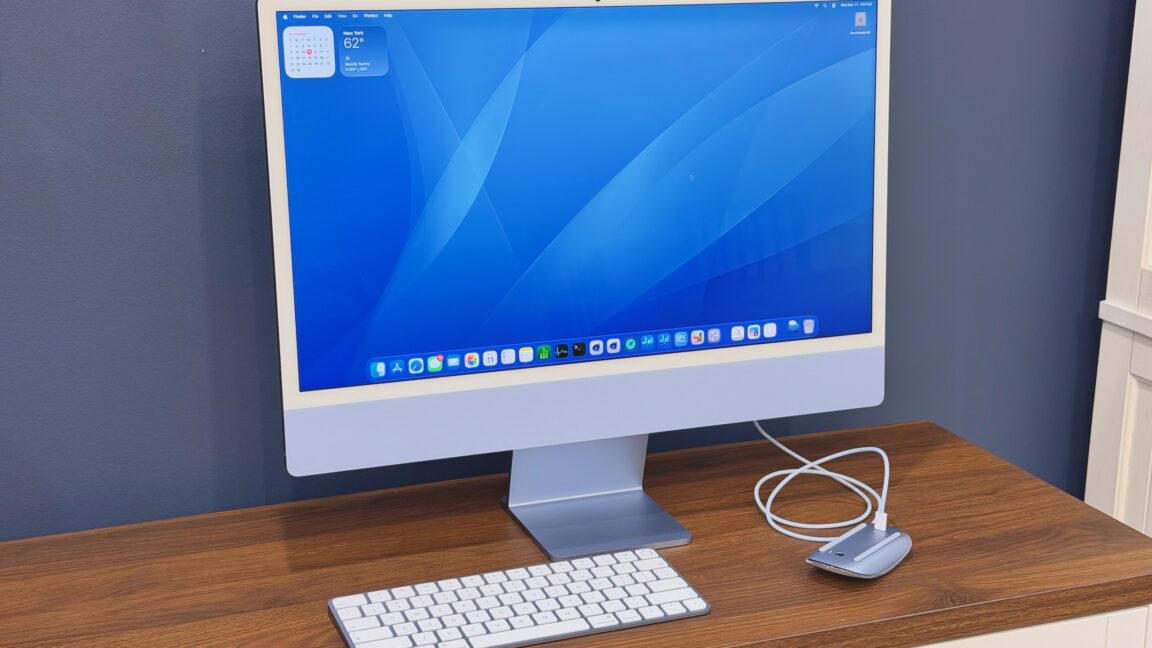
The Apple Silicon iMac got its fourth refresh this month.
Every other Apple Silicon Mac has found a way to move forward over the last half-decade—we’ve gotten a more Pro design for the MacBook Pro, a mini-er design for the Mac mini, and a Mac Studio that has finally made Apple admit it doesn’t want to make the Mac Pro anymore.
But the Apple Silicon iMac has always been more interested in looking backward. It’s the thin, screen-on-a-stand iMac design by way of the original Bondi Blue G3 iMac. It’s a clean and pretty desktop computer, one I see all the time in small offices and on TV shows that depict small offices. We’re long past the days when it was Apple’s primary workstation computer.
So I wanted to write about this new iMac from the perspective of that entry-level iMac buyer, who chooses the iMac because it’s simple and then uses it until it breaks. What does a new iMac get you if you’re stepping up from the M1 model or comparing it against an older refurbished M4 model? Without any real external updates, what makes this iMac iteration interesting?
Same friendly face
If you haven’t used an Apple Silicon-era iMac before, here’s a brief primer.
The new iMac is much thinner than the older aluminum Intel models. Its front is mostly one big 24-inch screen, surrounded on all sides by a relatively thick white bezel (I still wish black were at least an option, but Apple apparently doesn’t agree).
White bezel aside, it’s by far Apple’s most colorful computer. The iMacs ship with color-matched fronts, backs, stands, keyboards, mice, trackpads, and cables. Apple has tweaked the color offerings and changed the tints of each specific color a few times over the years, but the M6 iMac uses the same six color tints (plus silver) that the M4 iMac did.
