

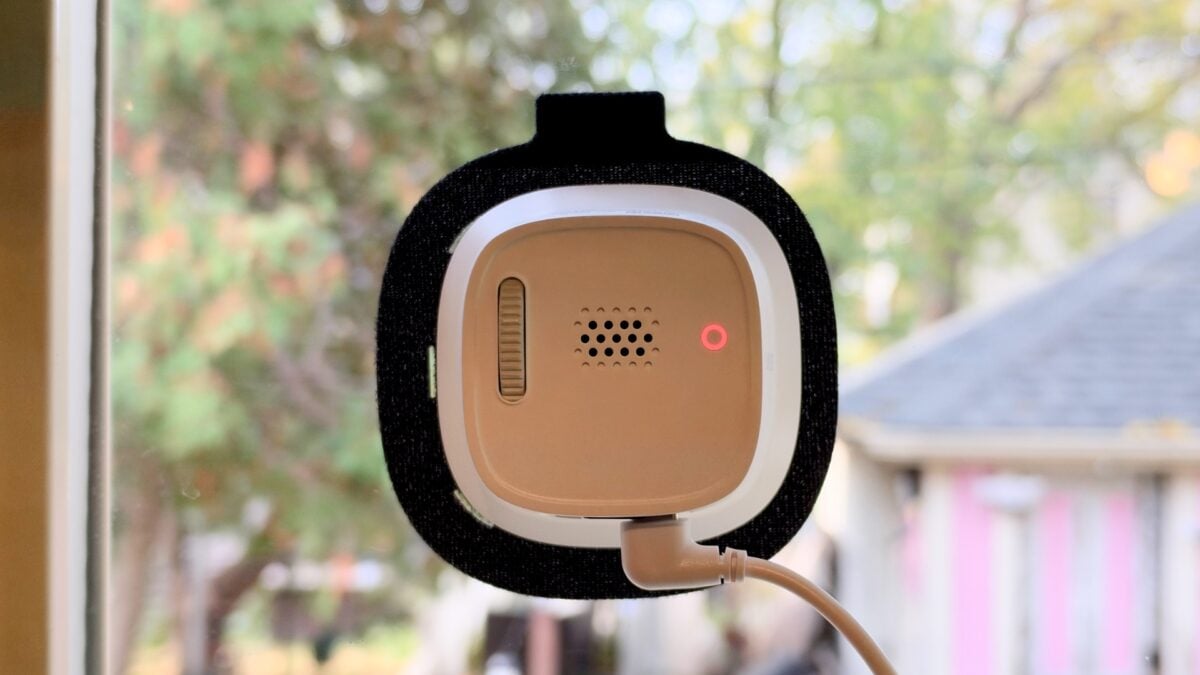
If you’re lucky and privileged enough to own a home, your options for outdoor security cameras are many. But not everyone is in that position, and although you can get away with using many smart home gadgets in a rental, security cameras will be a no-go for most people, especially apartment dwellers. The Eufy Window Camera E10 is aimed at those people, or more accurately, the people walking past their homes.
For an $80 camera, the E10 is very nice. It offers 2.5K video, onboard local storage via microSD, and fast, dual-band Wi-Fi. Best of all, you don’t need a single tool to install it; it just sticks to the inside of your window. I have some concerns about the idea of pointing any such device outward from an apartment building, but if you live in a rental house and have permission from your landlord—or heck, if you own your home but just don’t feel like drilling holes in your exterior fascia—and you’re willing to understand and accept some limitations, it’s a pretty neat product.
I got an early look at an E10, and despite some obvious shortcomings, it’s one of my favorite security cameras that I’ve tested in years.
Anker Eufy Window Camera E10
A surprisingly capable, easy-to-install wired camera that works well in the right context.
- Extremely easy installation
- Clear, high-quality video
- Surprising breadth of features
- Local storage
- Fast and stable Wi-Fi connection
- Reflections can be a problem on dual-pane windows
- Must be near a power outlet
- No Apple Home support
- Bit of an eyesore
- Poor night vision
Who needs a drill?
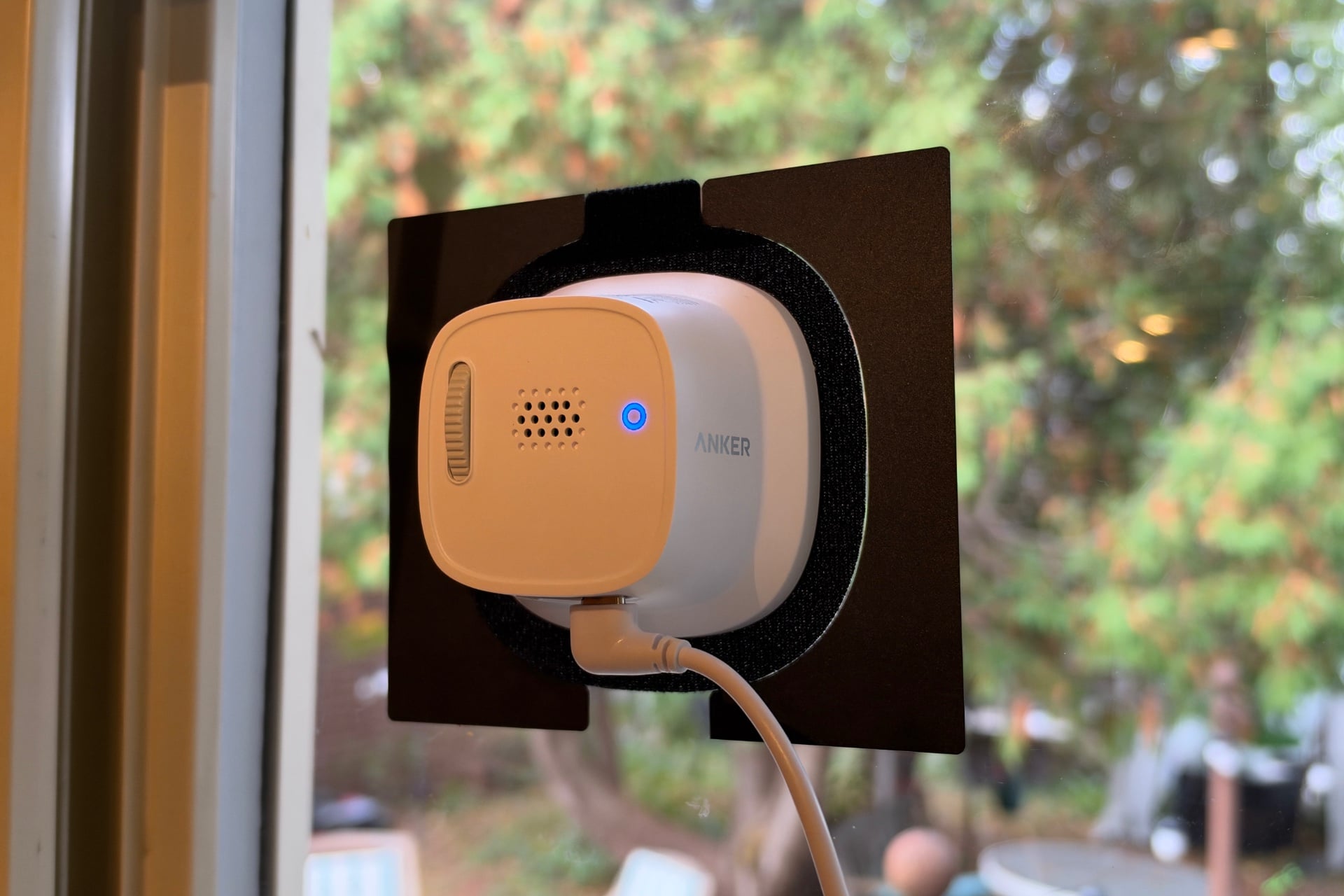
The best thing about the Window Camera E10 is how easy it is to install. All you have to do is clean the dust and dirt off your window, place its mounting sticker on there, and then slap the camera onto its hook-and-loop side. There’s even a second sticker in case you don’t like where you put the camera the first time and want to move it. I installed it in a kitchen window that overlooks my backyard and is close to a countertop outlet in an out-of-the-way corner. This camera’s small, but still an eyesore, especially with a cable dangling from it, although Anker does at least include stick-on cable clips to deal with that. I was done with the window-cleaning and camera-sticking parts of this process in just a couple of minutes.

Adding the camera to the Anker Eufy app was fast, too—I searched for it in the app, tapped it when it appeared, and went through the Wi-Fi setup. If you have a compatible Eufy HomeBase device, you can connect the camera to that instead. With or without support, I wouldn’t buy a HomeBase just for this camera—it adds local storage, but you can get plenty of that for less money by buying a microSD card. (The Window Camera E10 supports cards of up to 256GB.) The hub does add HomeKit Secure Video support to certain Eufy cameras, such as the EufyCam S3 Pro, but that’s not the case for the Window Camera E10—you only get Alexa and Google Assistant support here, with or without a Eufy hub. You can get facial recognition if you have a HomeBase S380, but that costs $200.
Once you’re set up, you can manually adjust the Window Camera E10’s vertical angle by up to 25 degrees using a small mechanical dial on the back. The camera has a 125-degree field of view—which is good, not great, but was plenty in my testing position, which was mounted about 10 feet off the ground.
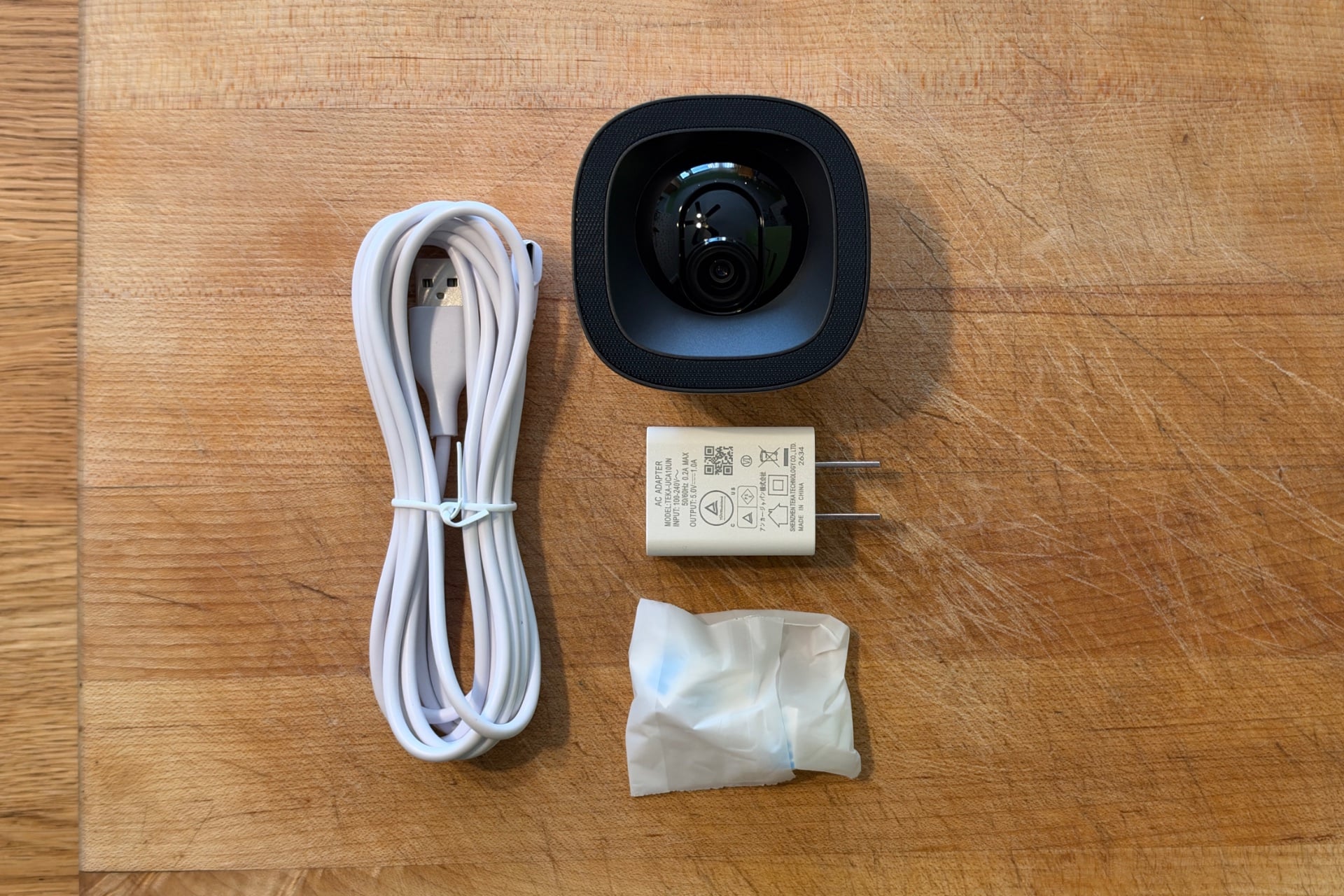
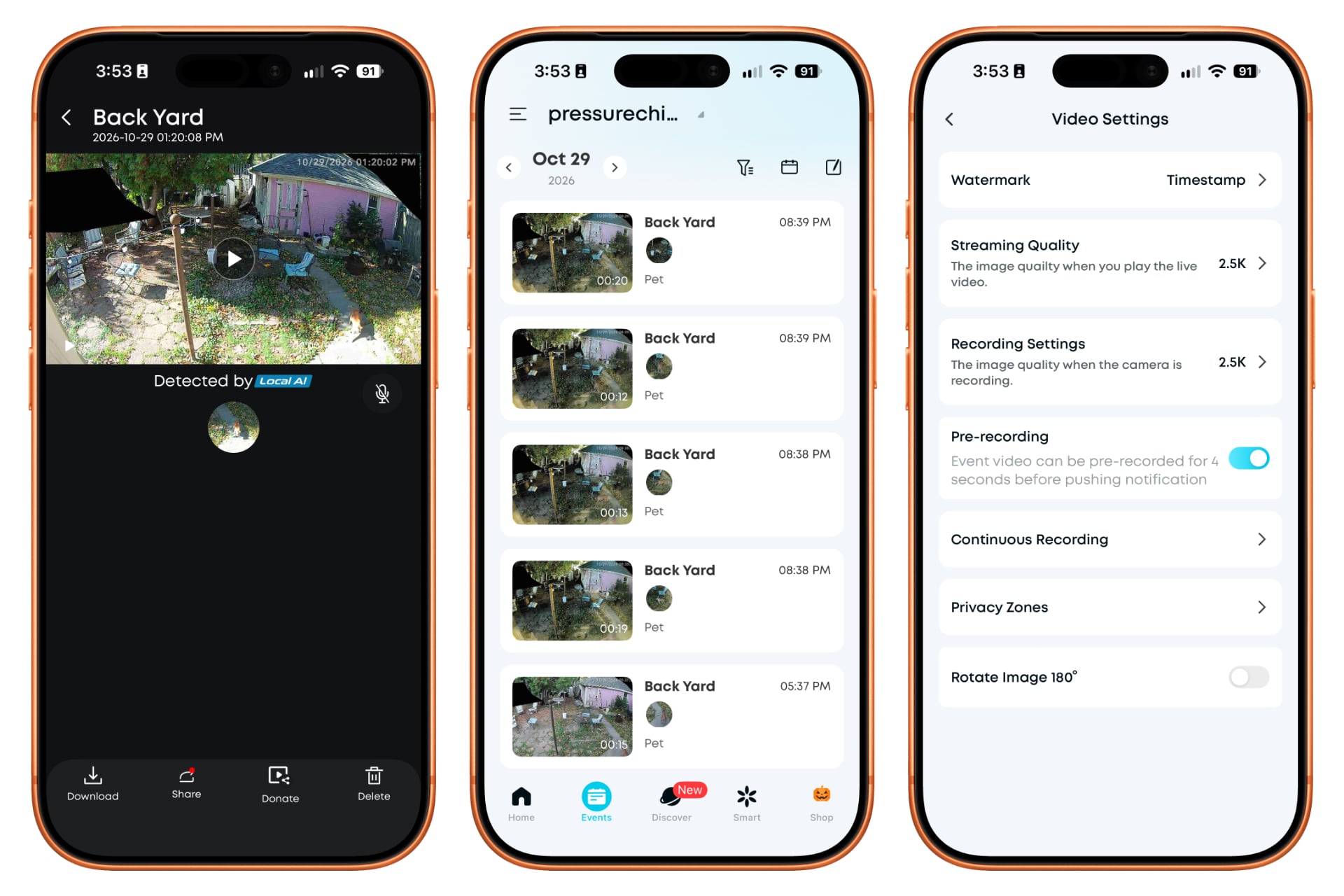
Anker’s app isn’t stuffed with features, but it hits the right notes. You can adjust the camera’s video streaming quality, create blacked-out privacy zones by drawing shapes on the feed, and adjust motion-detection sensitivity. It includes individual toggles that enable push notifications when the camera detects people, vehicles, pets, or general motion, as well as separate buttons that control whether each event category is recorded. The camera has a rolling buffer and supports prerecording, in which it appends footage of the few seconds prior to videos of events that it detects. That consistently prevented the device from producing recordings that captured only half of what had happened, an issue that has plagued many older smart home cameras I’ve tested, including Anker’s own EufyCam 2C Pro.
You can also configure the app to send push notifications that contain text alone, for speed, or thumbnails with text if you don’t mind waiting a bit. A balanced mode sends text notifications separately from thumbnails, and that’s the one I’d use. The text-based messages arrive quickly—within about four seconds, which is as fast as I’ve seen with any smart home security camera—and indicate whether the camera has detected a person, vehicle, animal, or generic motion, depending on which is toggled on. That detection happens on-device.
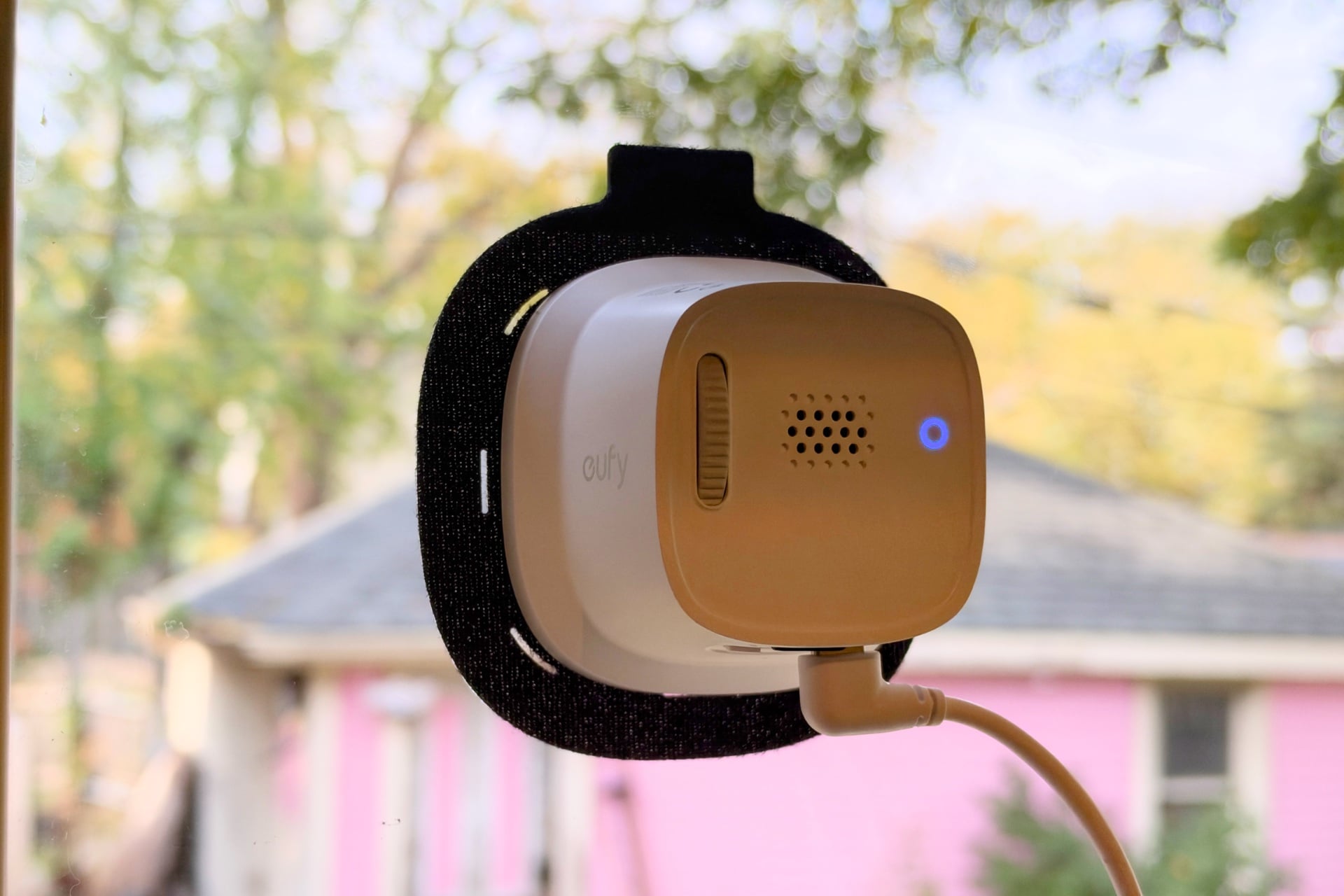
There are also a couple of surprising features for a camera at this price point, like the ability to record 24/7, though the app could make clearer how to view this ongoing footage. To do so, you have to either tap a small icon in the Anker Eufy Security tab or open the camera you want to look at, tap its name, and then tap “Playback.” That seems like a button that should just be available at the bottom of the camera view, next to the buttons for recording, taking screenshots, changing the resolution, and starting a timelapse.
If you don’t want to deal with local storage, Anker offers plans that start at $3.33 per month for 30 days of video history on a single camera and up to 180 days and unlimited cameras for $41.66 per month. Weird pricing, but it’s not bad when compared to the options from companies like Arlo and Ring. I prefer to stick with local recording, given smart home cameras’ repeated software security problems, Anker’s among them. If you’re curious to read more about that, there’s a good summary over at The Verge, which reported in 2022 and 2023 about unencrypted camera streams on Eufy cameras. Anker, to its credit, made a number of changes as a result of that reporting, and now has a whole page devoted to the steps it takes to ensure its devices respect your privacy.
High-quality imagery, but reflections can be a big problem
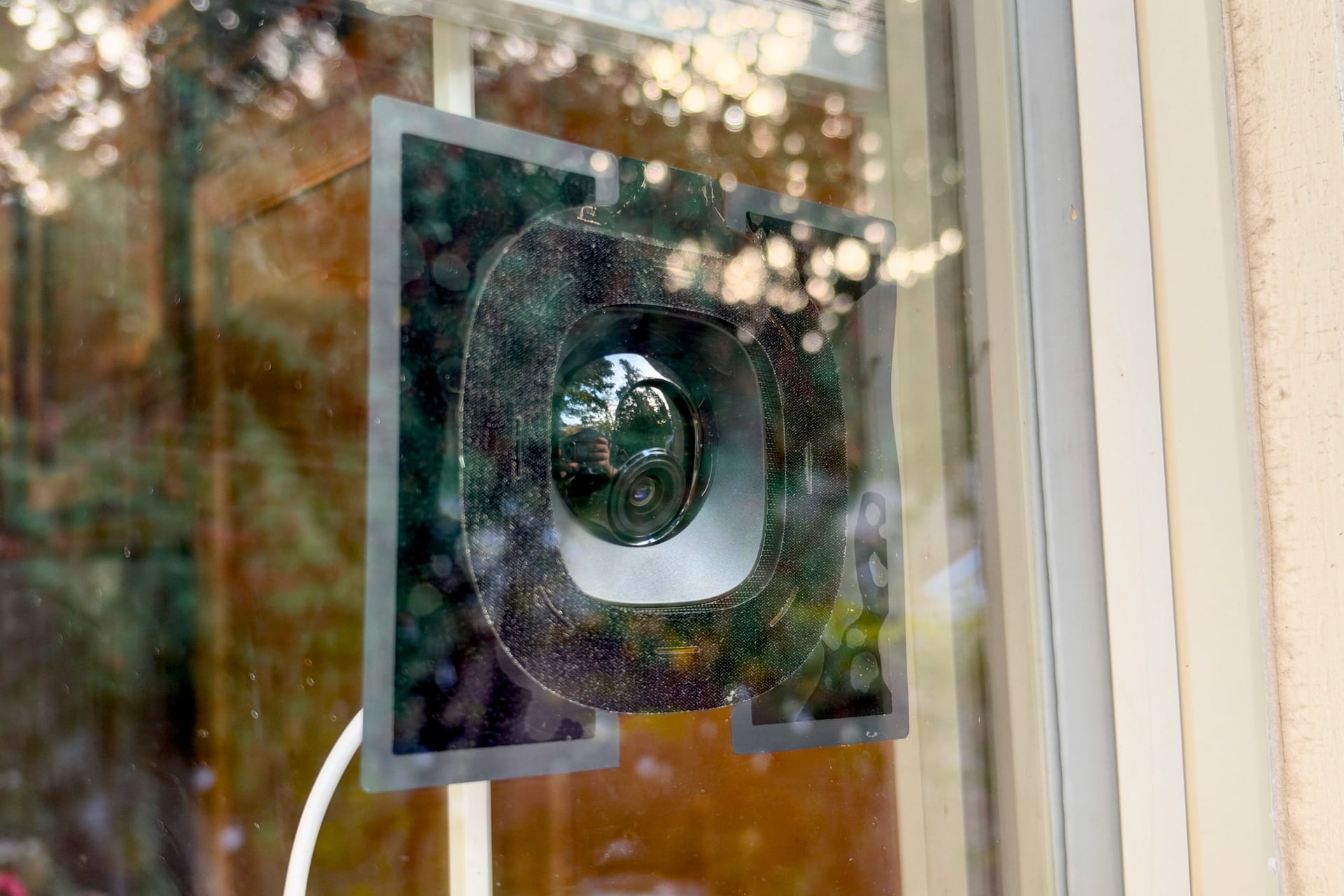
The Window Camera E10’s body acts as a shroud for the camera sensor, preventing any reflections from getting between it and the pane of glass it’s stuck on. Most of the surrounding area has a matte finish, although the little half-globe part that the camera sits in is glossy, which I worried would lead to unnecessary glare. It didn’t in my case, but that doesn’t mean this wasn’t an issue—far from it. Things were fine when the sun wasn’t touching the window. The image was as clear as it would be with any outdoor-mounted security camera. But as soon as the afternoon sun touched a bright green wall perpendicular to the window, I could see a faint image of the wall in the outer edge of the E10’s video. It didn’t screw with most of the image, but I wouldn’t put this device on a window that gets direct sun for long stretches of the day.
The reflections got much worse at night. When I turned the kitchen light on, a partial halo of light filled the bottom and side edges of the image. I could tell the shrouded design of the Window Camera E10 was doing its job because there was a hard border inside the halo where the camera’s body blocked the light, but it wasn’t enough to make the outer edge of its picture easily visible. Anker includes an extra set of opaque, matte-black stickers shaped to sit around the outside of the hook-and-loop you attach the E10 to, widening the area of light it blocks. Those help quite a bit, though they also make the thing more of an eyesore. An easier solution would be just to lower your blinds or close the curtain behind the camera.
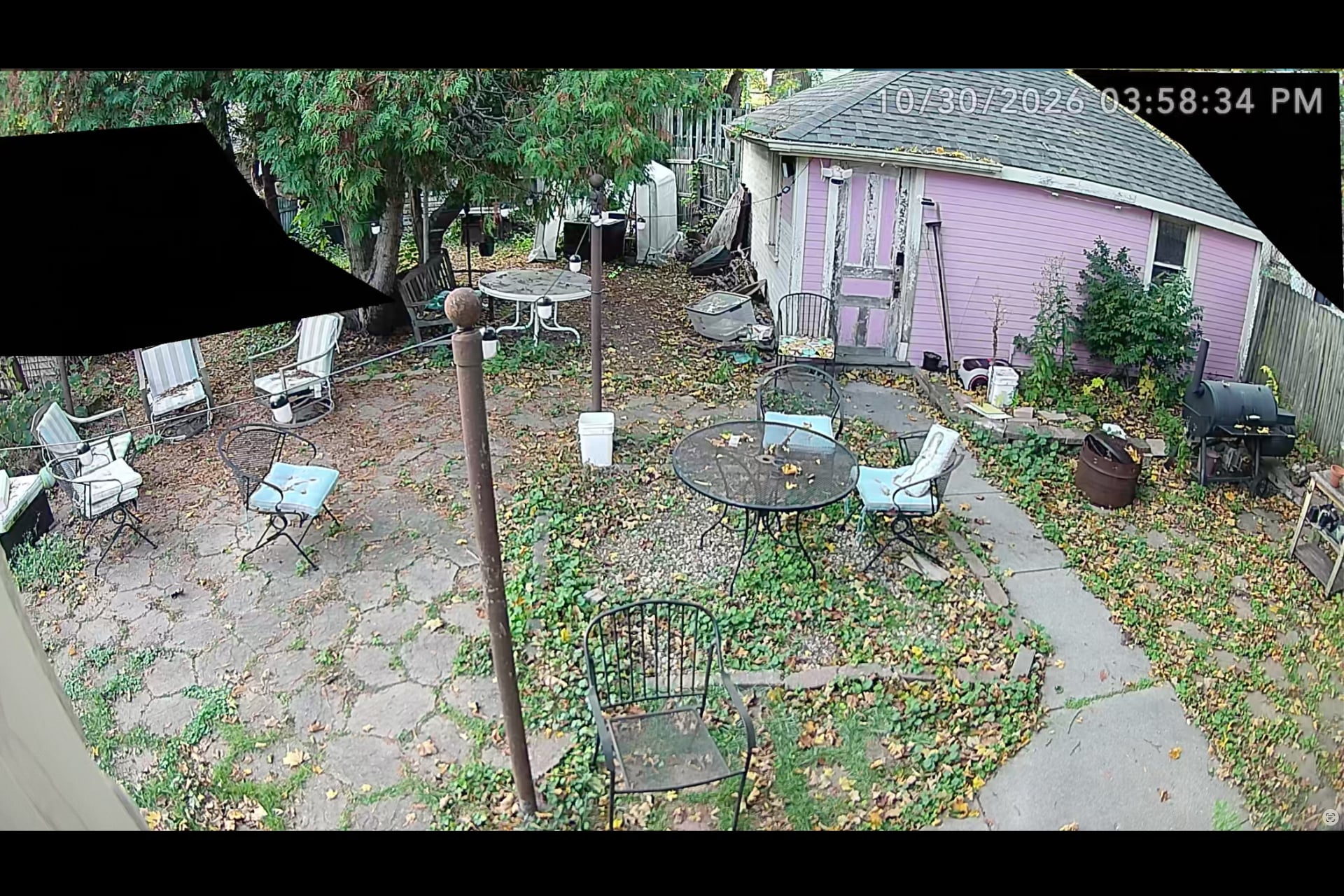
Reflections aside, the Window Camera E10 produced very clear, sharp video by day, with little of the artifacting you might see with older or cheaper smart home security cameras. The E10’s sensor is still not as sharp as what a modern smartphone can produce—they never are—but its picture is crisper than what I got from the Tapo Doorbell Pro D260 and close to as good as that of the Reolink Elite Floodlight WiFi I tried last year.
At night, the image was a lot muddier. The Window Camera E10 lacks any sort of spotlight, infrared or otherwise, so it’s doing the best it can with its visible camera sensor. I wouldn’t count on it to identify intruders without a bright floodlight in the area it’s watching.
Not perfect, but better than I expected
I came into this review expecting that, given its price, the Window Camera E10 would be a mediocre device that’s serviceable for something like checking your porch to see if a package has arrived but little else. Instead, I came away impressed by its video quality and breadth of features. It has a stable, fast Wi-Fi connection, and I appreciate its multiple local storage options and quick detection of people, animals, and vehicles.
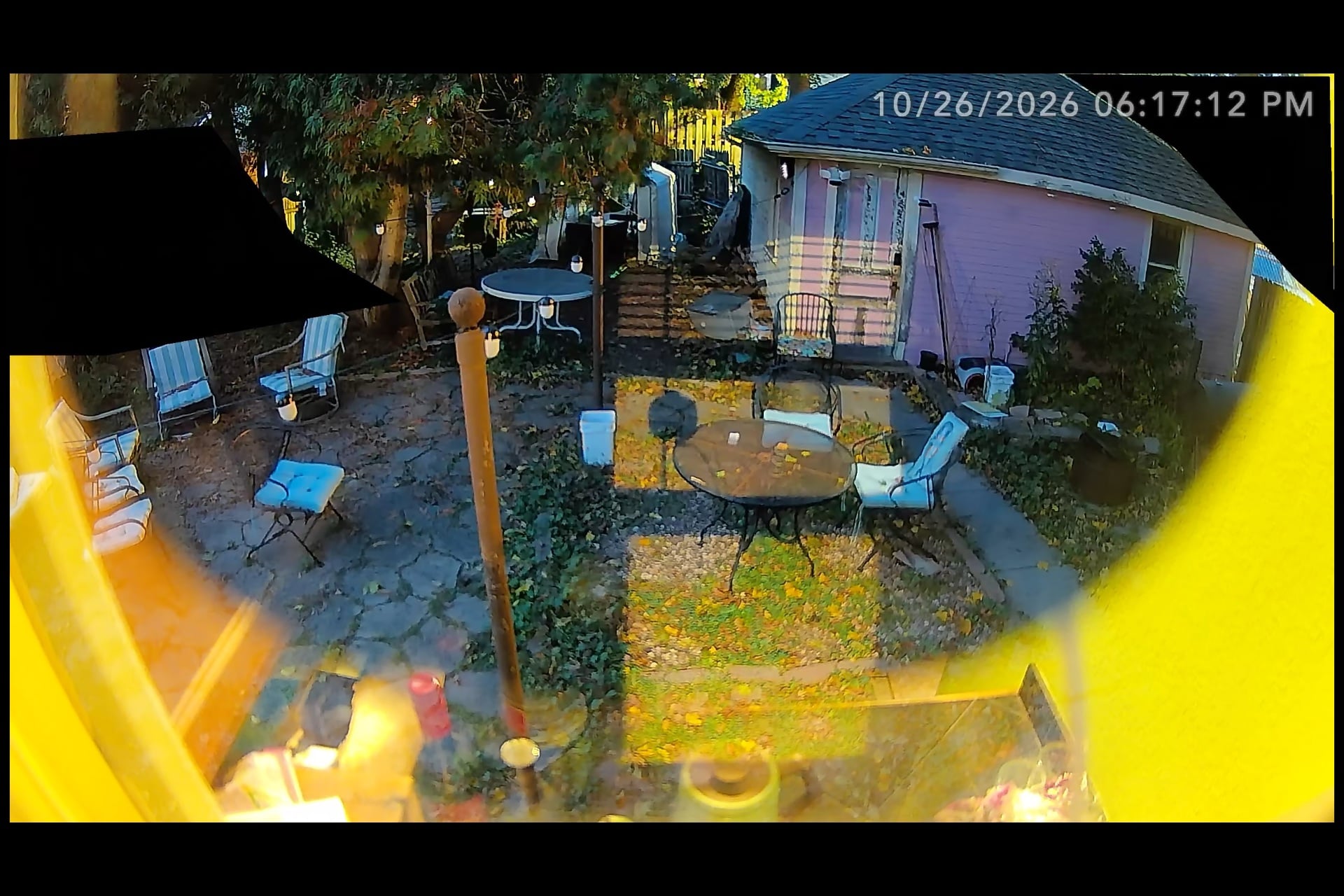
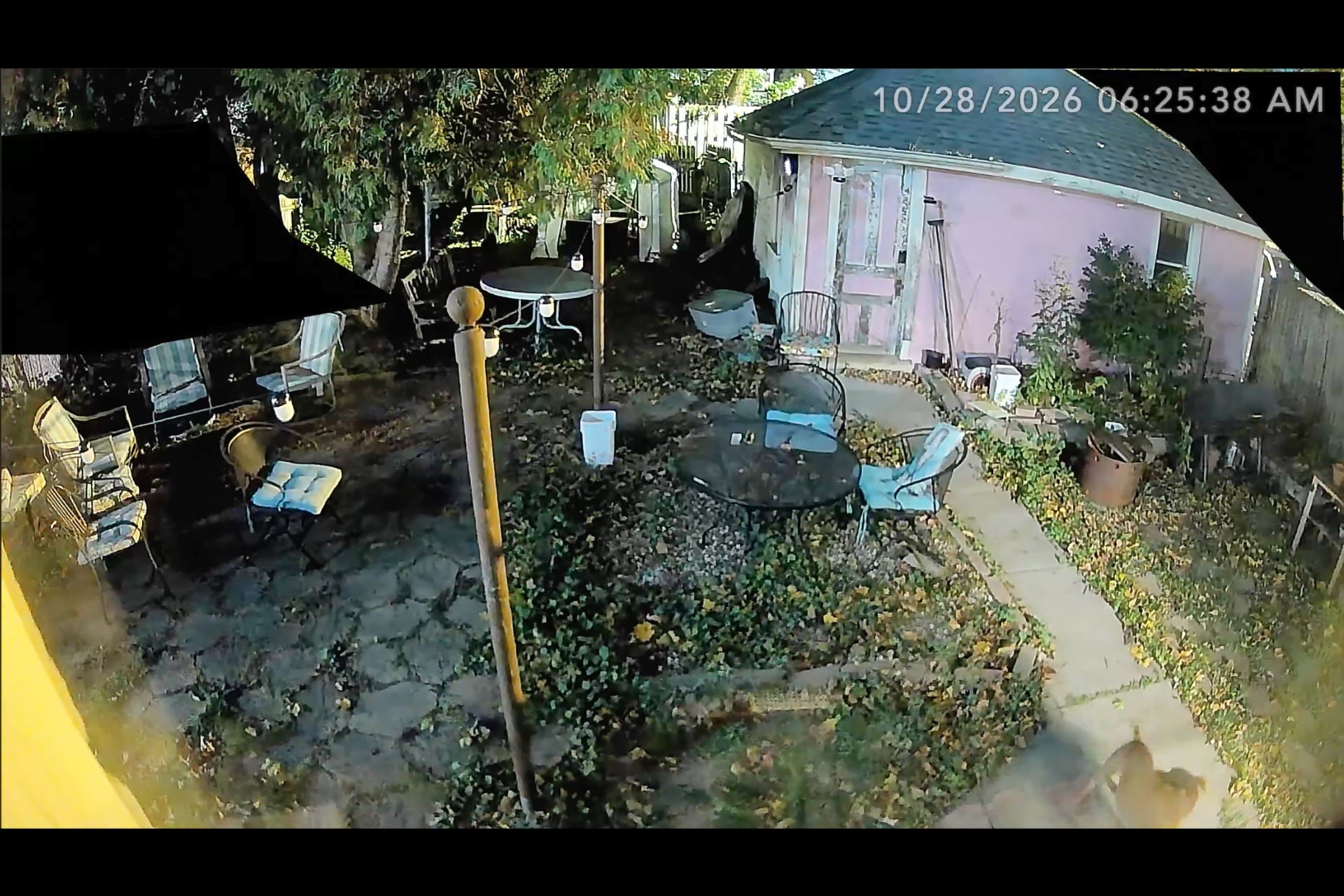
Left: Night shot without light-blocking stickers. Right: With the stickers, reflections are so much better. © Wes Davis / Gizmodo
I wish the Window Camera E10 also had package detection, and it’s a shame that it isn’t compatible with Apple Home, even when connected to one of Anker’s Eufy HomeBase hubs. Its night vision is blurry and not particularly useful without other bright exterior lights, and reflections can be a big problem in a house with dual-pane windows. It’s also silly that it has a speaker and microphone at all—I’m sure you could hear a person talking through an old, single-pane window, but I doubt they’d hear you very well unless the window is actually open. Lastly, the fact that it’s wired is inconvenient because it limits you to placing the camera somewhere where its 10-foot USB-C-to-USB-A cable can reach an outlet.
Still, I expected all of those shortcomings and was surprised I didn’t run into more. This is a capable little $80 wired camera, and one I’d recommend to anyone who just wants an easy way to check their front porch for packages when they’re away from home or peek at their backyard to make sure they remembered to close their fence. It’s not exactly a security camera, but not everything has to be.
