

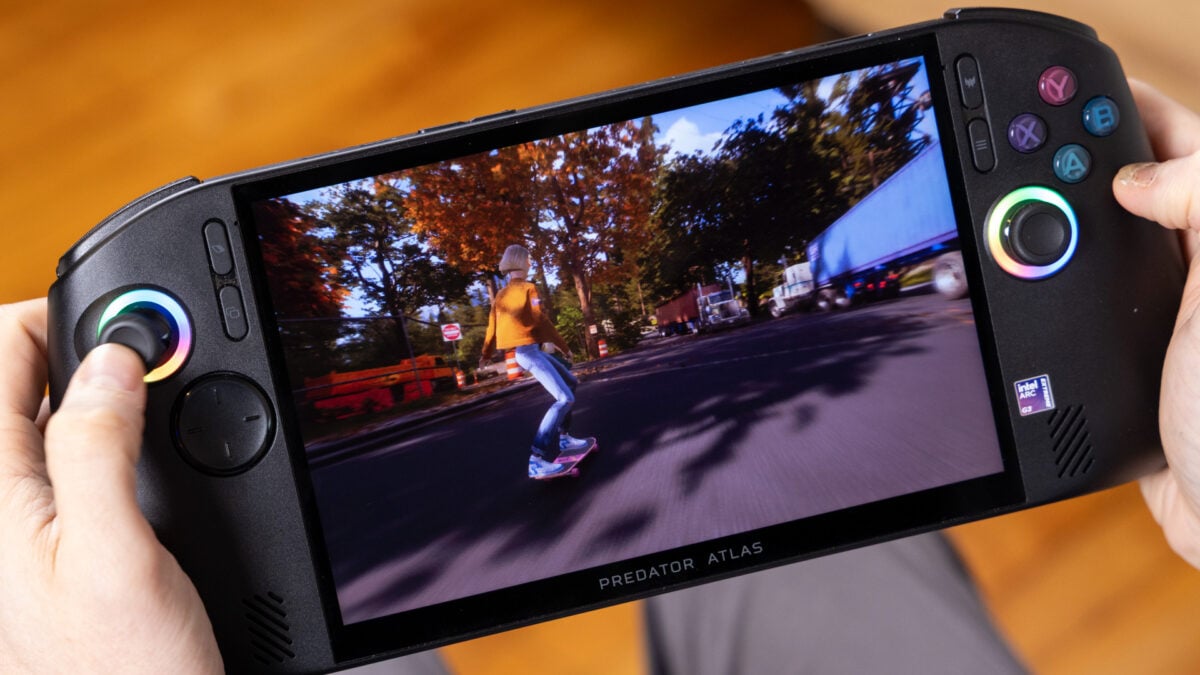
I still love handheld gaming PCs. They just don’t love me back. More to the point, they don’t love my budget. The latest example of how my favorite hobby is becoming ever more expensive is the Acer Predator Atlas 8. For a moment, it was the best bang-for-buck handheld available. Then, as with all gaming gadgets this past year, a price hike swarmed up like a sea creature out of a Greek myth and took a chunk of my enthusiasm for this big, powerful handheld with it.
The Predator Atlas 8 hit the scene on Nov. 1 for $1,300. Now it’s $1,450. That’s not a huge jump considering it was already floating at a sky-high $1,000+ price tag. Still, it’s a reminder that you can’t trust any MSRP (manufacturer suggested retail price) in 2026. And it helps remind us that we shouldn’t lower our expectations just because gadget prices are so unreliable.
Acer Predator Atlas 8
Despite some software issues, it’s the handheld you want if you mostly care about mobile performance and less about battery life.
- Solid ergonomics
- TMR joysticks
- Bright screen
- Better performance than Ryzen Z2 Extreme
- Great thermals
- Mushy D-pad
- Inconsistent speakers
- Software hangups
- Battery life isn’t great on any power mode
- Last-minute price changes
That’s especially important with the Predator Atlas 8. Handheld PC users have been forced to accept a certain amount of jank from cramming an overstuffed Windows 11 into an 8-inch device you mainly control with thumbsticks and A, B, X, Y buttons. Acer’s design is just slightly jankier than other similar devices. You also have to accept worse memory specs for this price. This handheld comes with a reasonable 24GB of LPDDR5X RAM and a bare 512GB of storage. Let me tell you right now, you’ll want to expand your SSD with a microSD card as soon as possible if you want to load more than a pittance of your Steam library.
Face it, the real reason you’re here is for the performance. The 32GB, 1TB MSI Claw 8 EX AI+ from earlier this year also came with the performant Intel Arc G3 Extreme chip. It unfortunately costs a hefty chunk of change at $1,800. There are a few $1,600 models of the Claw 8 kicking around with a lower-performance Intel Arc G3 processor. Then, there is the Asus ROG Xbox Ally X, which still costs $1,000 despite RAMageddon. That handheld will offer worse performance than the Predator Atlas 8, but it also comes with more storage. For $1,300, the ROG Xbox Ally X20 has some of the best controls, feel, and screen of any mobile gaming gadget this year. It will still not hit the frame rates you hoped for.
Deciding which of the smattering of $1,000+ handholds to buy then becomes a suffocating proposition. The smallest differences in comfort, TDP, and software may not matter as much as that hit to your bank account. But if you’re looking for the middle-of-the-road handheld, the Predator Atlas 8 may hold up your mobile gaming ambitions.
Still, not everything’s quite right with Acer’s handheld
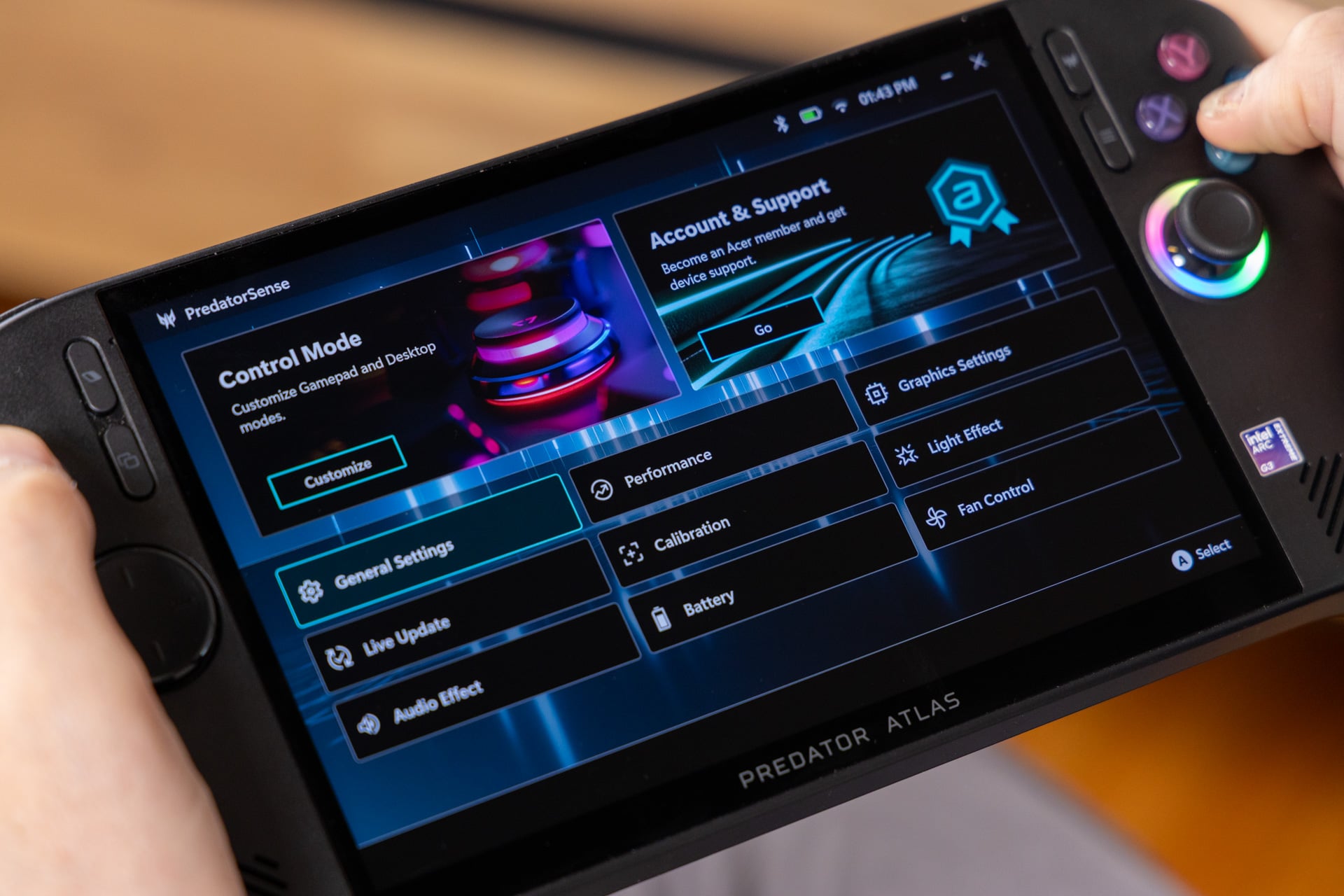
Windows 11 has caused no small amount of grief to this handheld PC market. The OS is not built for small touchscreens nor the traditional gamepad controls. Microsoft has tried shoving the base gaming experience behind the Xbox app, which itself belies other challenges for traditional PC OEMs (original equipment manufacturers) like Acer. Not only do they have to couple these devices with their own software for managing device-specific options like TDP (thermal design power) and RGB lights, they have to ensure the handheld doesn’t get caught by any of the operating system’s many barbs.
So I can give credit to Acer here while acknowledging that the company is behind compared to the likes of Lenovo, Asus, and MSI. One of the first problems I experienced was with putting the device to sleep. Unlike other handhelds, which require a single press of the power button to put the device into stand-by mode, the Predator Atlas 8 requires you to hold the power button for a second and release it. It’s more finicky and awkward, and if you hold the power button for too long, the device thinks you’re trying to shut down rather than sleep.
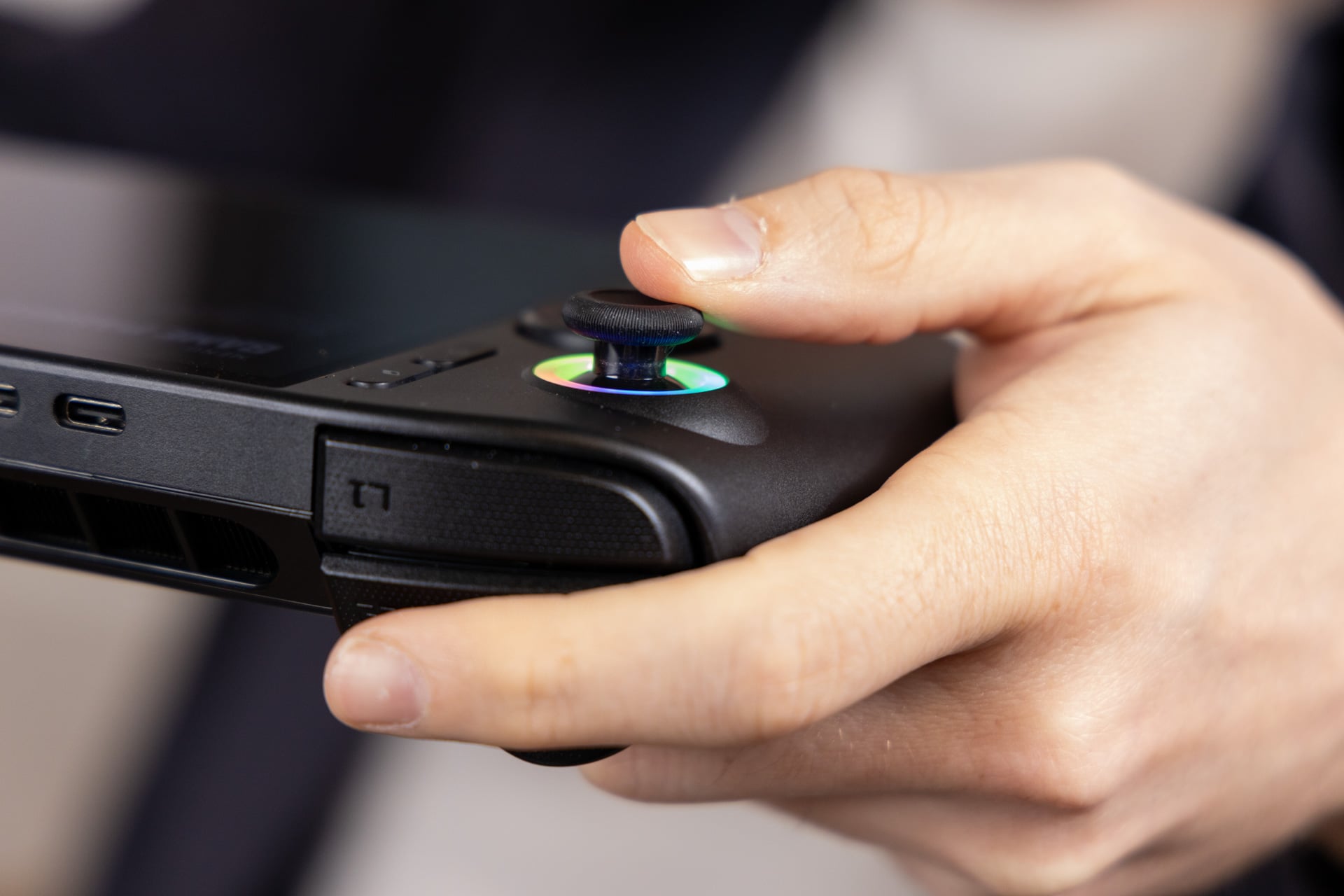
There are other issues that users have no control over. If you let the Predator Atlas screen time out, the device’s two RGB lights keep on blinking. The fans kick in as if they were preparing to take off to join the ISS in Earth’s orbit.
Even beyond these annoying hiccups, there are more niggling issues that can cause an rolling tide of consternation. For instance, I couldn’t manually adjust TDP in the PredatorSense quick menu. I had to hit the top right menu key to access the full PredatorSense app to manually adjust these power settings. What’s similarly annoying is the fact you can’t download drivers for the Intel chip from any settings menu. You have to download the separate Intel Graphics Software app and use that for all your necessary drivers (the MSI Claw 8 had the same problem, if that’s any consolation).
At the same time, I will give Acer points for adding options for Intel’s “Endurance” gaming mode, which limits frame rates in order to extend battery life, inside the PredatorSense App. Ditto for the XeSS Frame Generation Override, which will enable multi-fake frame action to help smooth out some games that already support the 1x XeSS frame gen option.
Still, the overall experience feels subpar. The handheld never seems to want to save any of my settings, either. In between sleeping and waking up, my device wouldn’t keep the performance monitor on, forcing me to re-up it constantly as I finished my tests. I know many PC gamers who always play with the monitor on to ensure they’re getting a consistent experience, and they’ll find this just as annoying as I did.
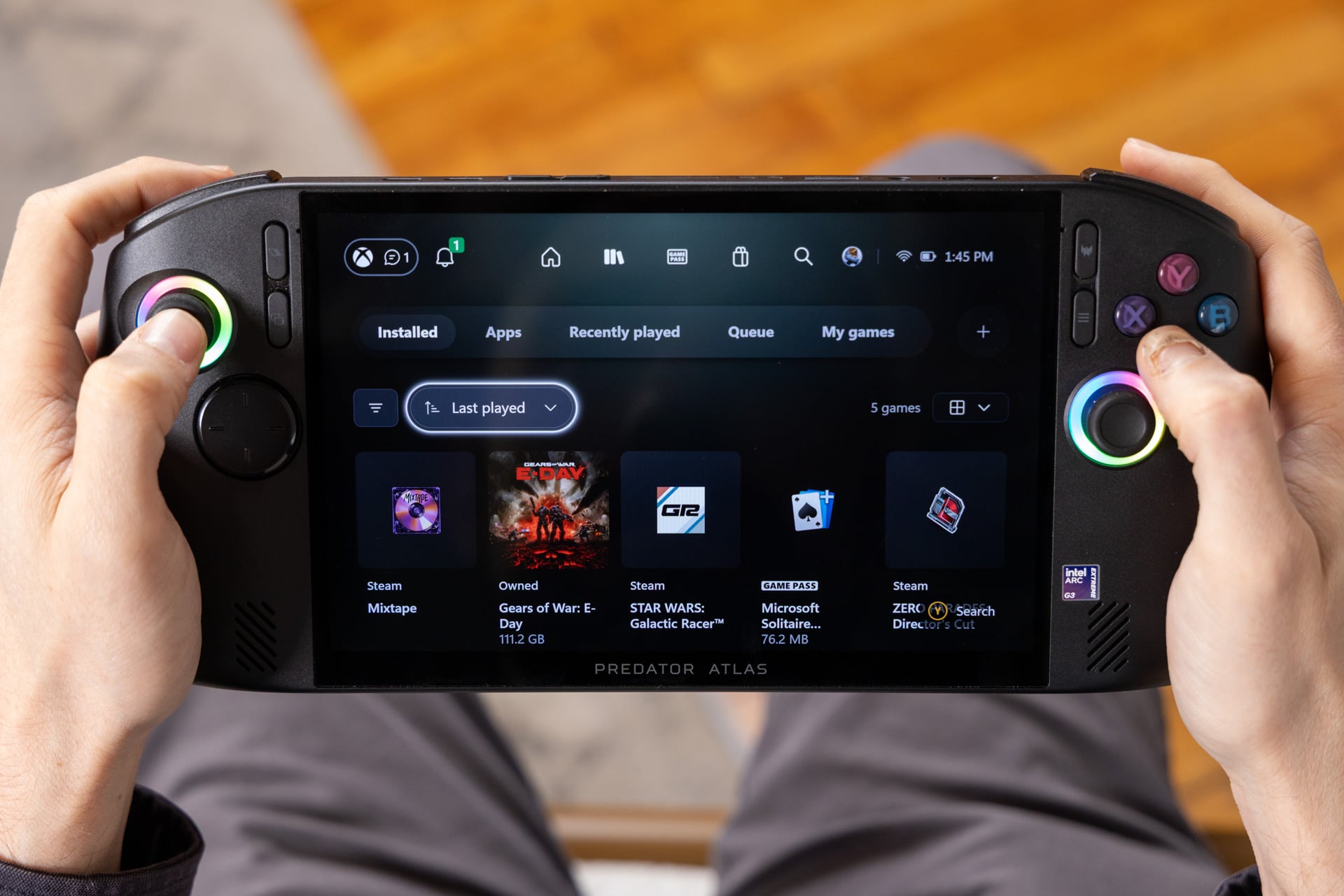
While we’re talking about software, there’s a bit of good news amid this hubbub. Just in time for the Acer Predator Atlas 8, Microsoft announced it was finally close to revitalizing its Xbox PC app. I loaded it up on Acer’s handheld, and I can confirm that the console-like menus are much better than the dull black void we were forced to comply with on the old Windows “full-screen experience.”
The new app is cleaner, simpler, and makes navigating to your games easier overall. It’s still not all there. For one, I often need to touch the touchscreen before it recognizes my gamepad controls. It’s also not a replacement for Steam, especially without all the social and customization features you should expect. If you still hate Windows, you may have a Linux-based alternative sometime in the future. Valve recently added SteamOS support to the MSI Claw 8, but we’ll have to see if that same support comes to the Predator Atlas lineup.
A great feel, except for one thing
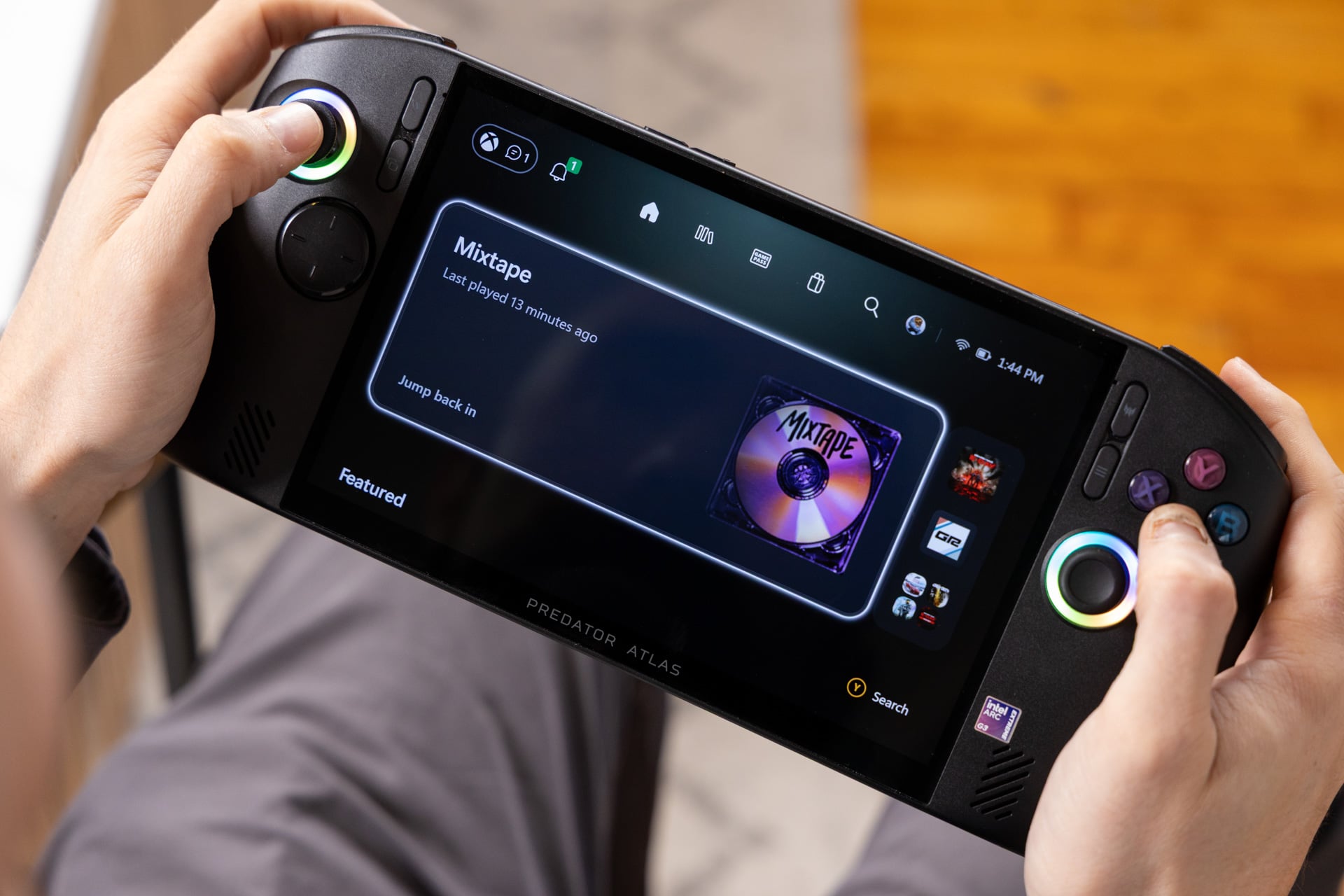
Acer’s big, black burrito of a handheld first reminds me of the Lenovo Legion Go S from last year, though really only by its shape. The actual ergonomics of the Predator Atlas 8 are spot on. The flared shape allows my digits to snail in to a comfortable position where I don’t have to do any finger gymnastics to hit any of the face buttons or other controls.
Compared to handhelds like the Asus ROG Xbox Ally X or Xbox Ally X20, the buttons on the Predator have more of a dome shape, which I actually prefer to a small degree (blame my Xbox upbringing). The B button on the right side is also designed so it matches the curve of the grip, which avoids some of the sharp awkwardness of the Xbox Ally X at launch.
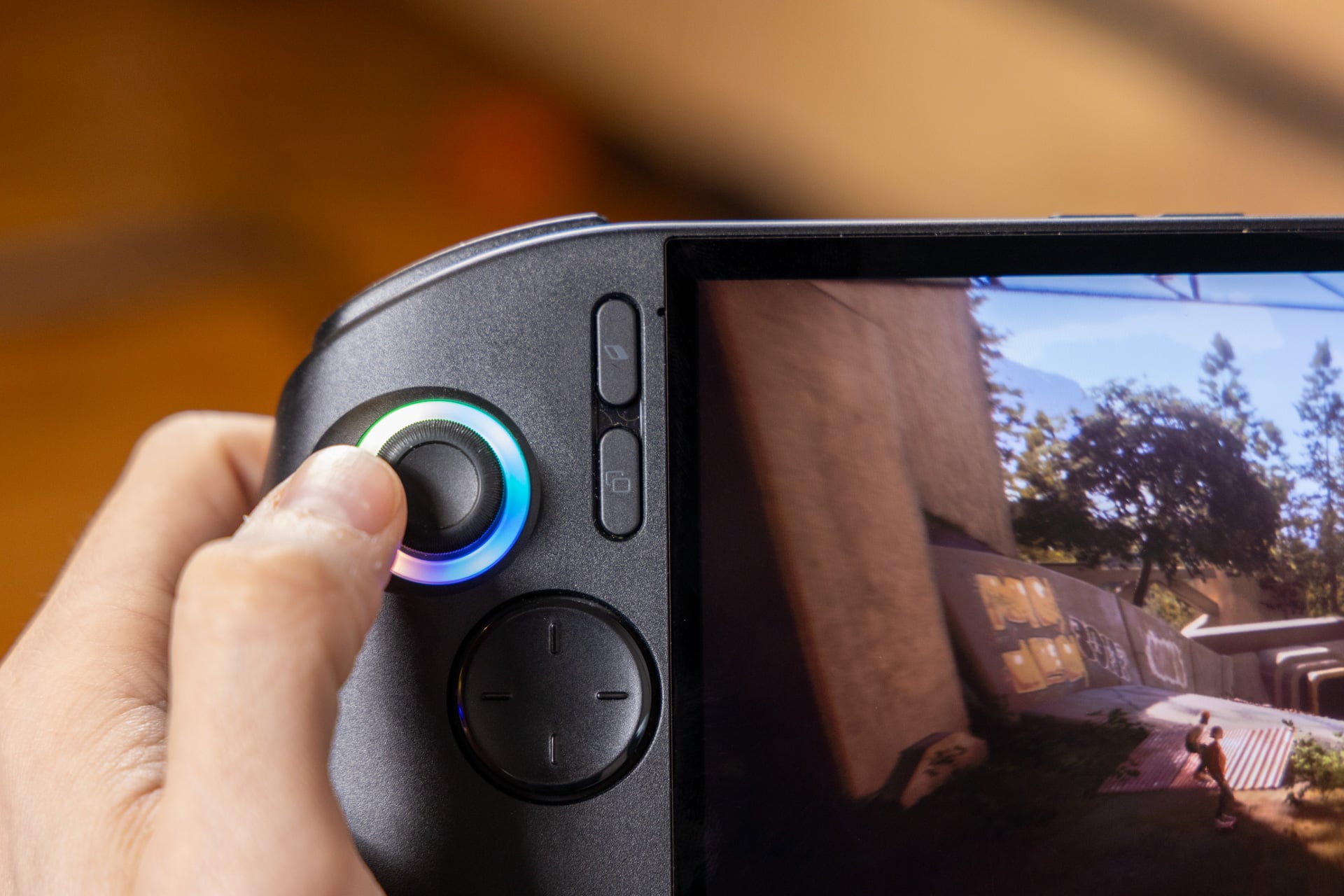
The joysticks are also ahead of the curve. Like the Xbox Ally X20, the handheld is using TMR thumbsticks. The acronym stands for tunneling magnetoresistance, a term used to describe a position-sensing technique that relies on changes in electrical resistance. It means these sticks are much more resistant to the dreaded “stick drift” issue that can develop with older controls, where you’ll experience ghost inputs that you didn’t intend. In addition, these sticks don’t have the spindly feel of some other Hall effect sticks, like what you find on the MSI Claw 8.
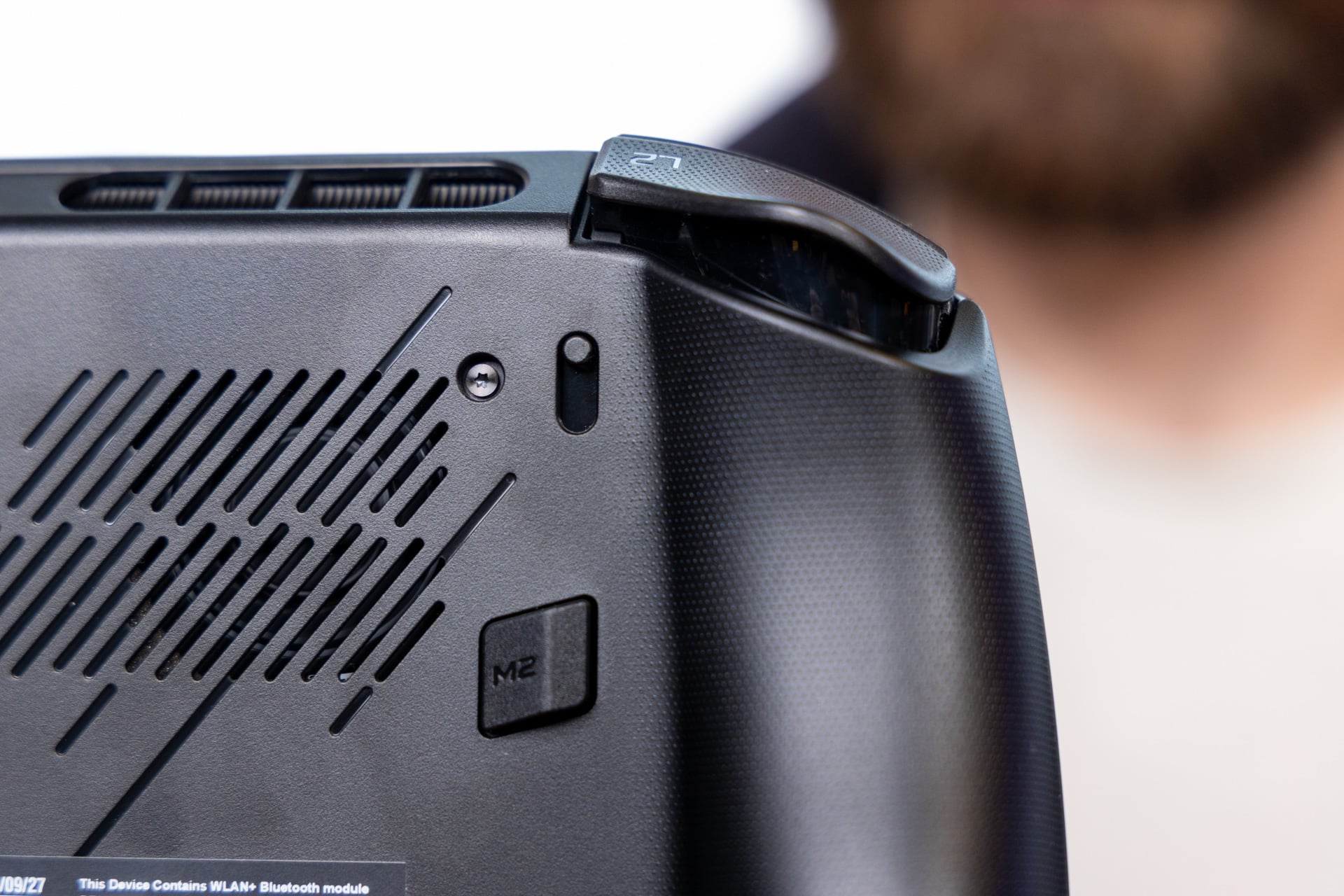
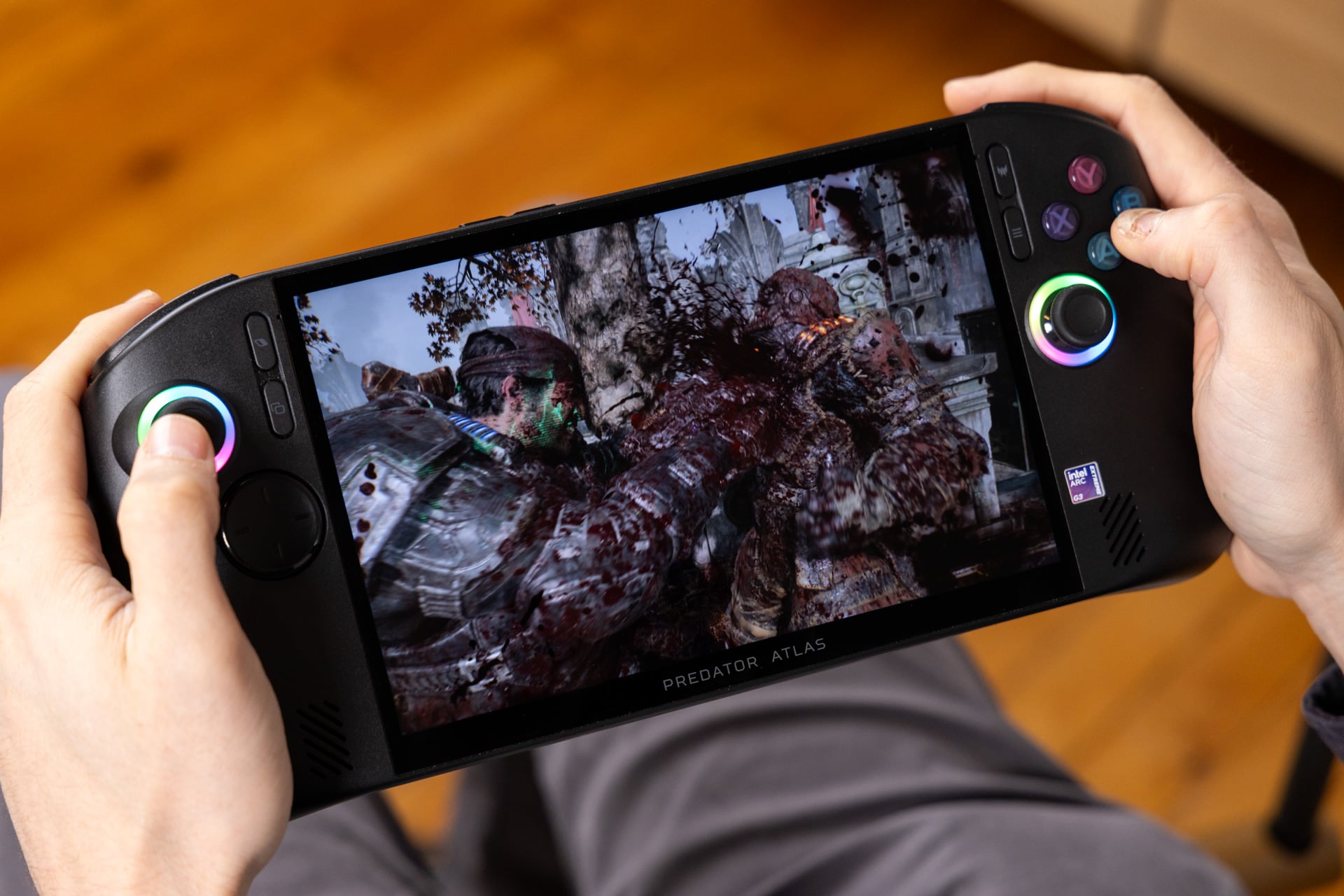
On the rear, you’ll find two programmable back buttons alongside switches for the triggers. This allows you to set each trigger to either the traditional analog or an instant switch for less travel. While some controllers make this feel more like a micro switch, the Acer handheld only shortens the actuation point. You won’t be playing any hardcore multiplayer shooters on your handheld, probably, so you can leave the type of trigger up to personal preference.
The one big complaint I have about this design is the D-pad. It’s a big flat plate with small ridges that help you feel out the directionals for games. It just feels mushy and not all that great for any kind of classic or retro-style game that relies on a directional pad. It’s only there for when your in-game controls require it. Otherwise, you may just need to use the joystick for everything else.
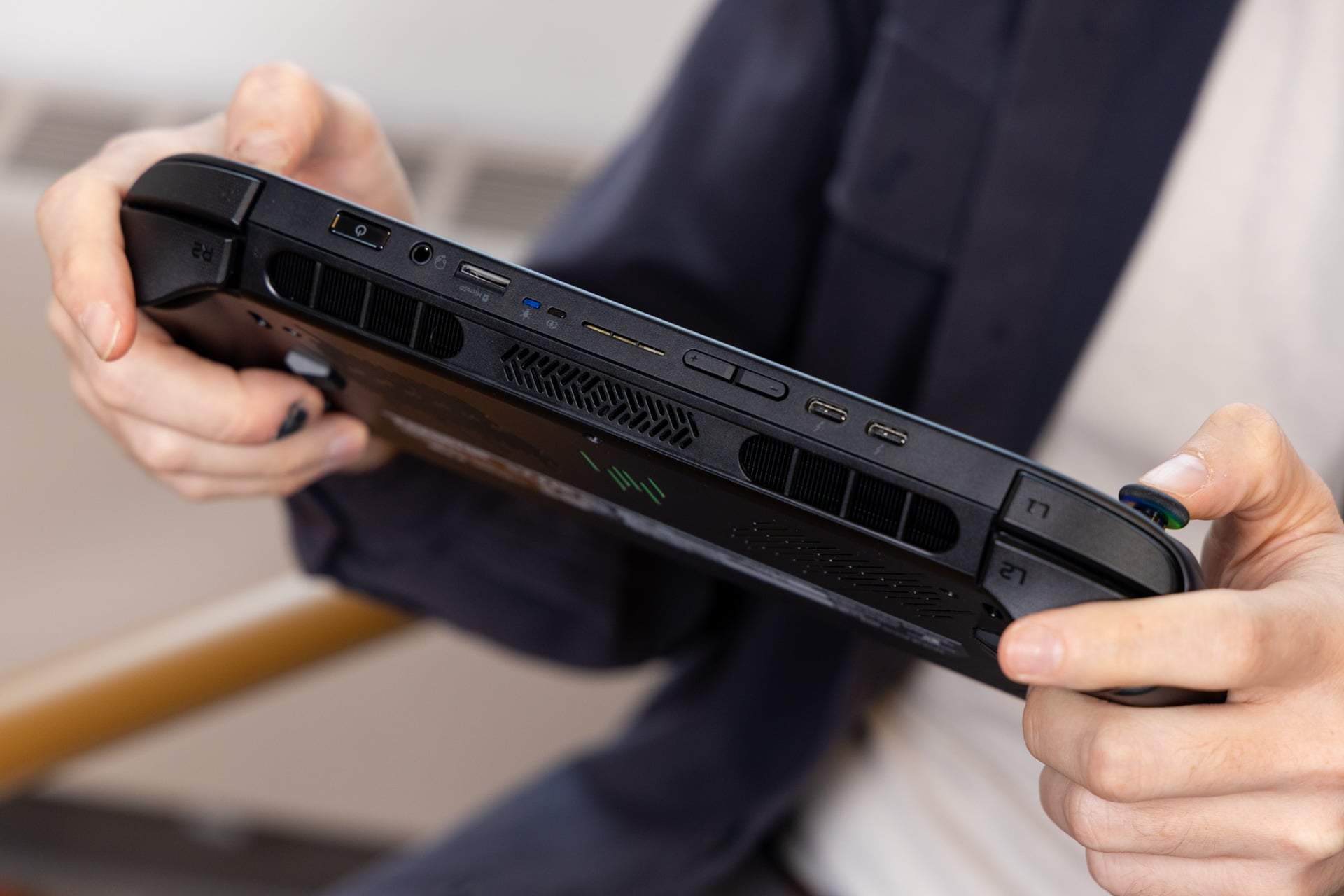
Let’s also take a moment to remark on the I/O. This being an Intel chip-based device, you have access to two Thunderbolt 4 USB-C ports on top, which has enough data throughput to allow you the chance to plug in an eGPU (external GPU). Otherwise, you have a headphone jack, a fingerprint sensor in the power button, twin volume buttons, and a slot for a microSD card. The MSI Claw 8 requires the faster, though more expensive, microSD Express standard. You can use regular microSD memory cards with the Predator Atlas 8.
An 8-inch handheld may be your cup of tea
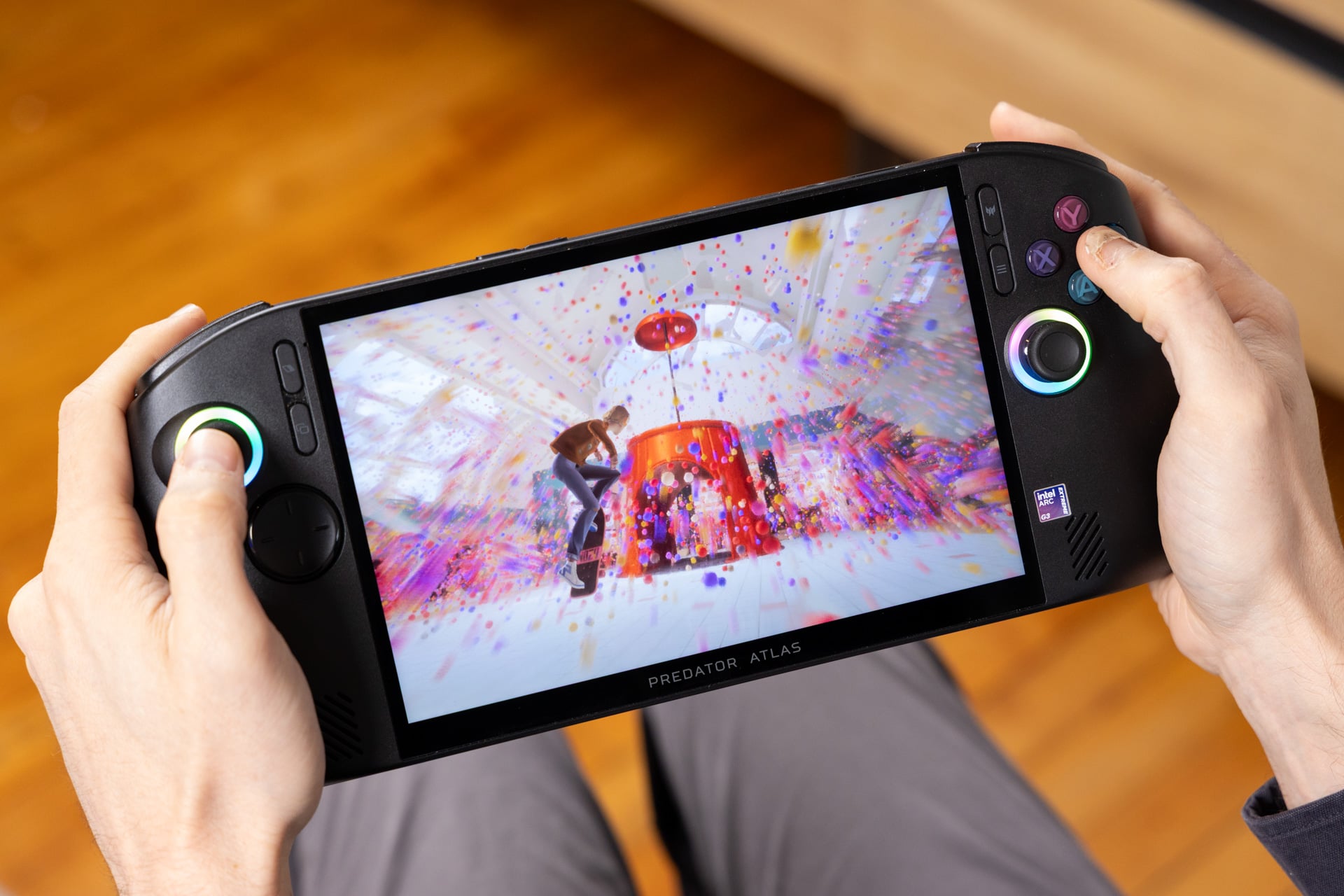
If you force me to compare sizes, I won’t always give the measuring contest award to the largest member. There are essentially two established screen sizes for handheld PCs, the 7-inch and the 8-inch (give or take a few millimeters). Those who appreciate larger screens with larger resolutions may find themselves drawn to the IPS LCD display of the Predator Atlas 8.
It’s much like the screens I’ve seen on both the Legion Go S and MSI Claw 8. It’s a bright LCD that maxes out at 1200p resolution and up to 120Hz refresh rate. That’s more than enough for playing your games at this size, and it supports variable refresh rate to avoid any screen tearing issues. It’s the kind of display that does the job. If you’re like me, who has seen this same screen time and time again, it’s not something that honestly excites the senses.
Speaking of senses, my ears weren’t totally keen on what came out of the Predator Atlas 8’s speakers. Sound effects like Steam’s Big Picture Mode came out crackly, and on low volume the handheld can sound rather tinny. These speakers sound better when you pitch the volume higher, but even with DTS Virtual:X Audio support, I’d rather listen to my in-game audio with headphones or earbuds.
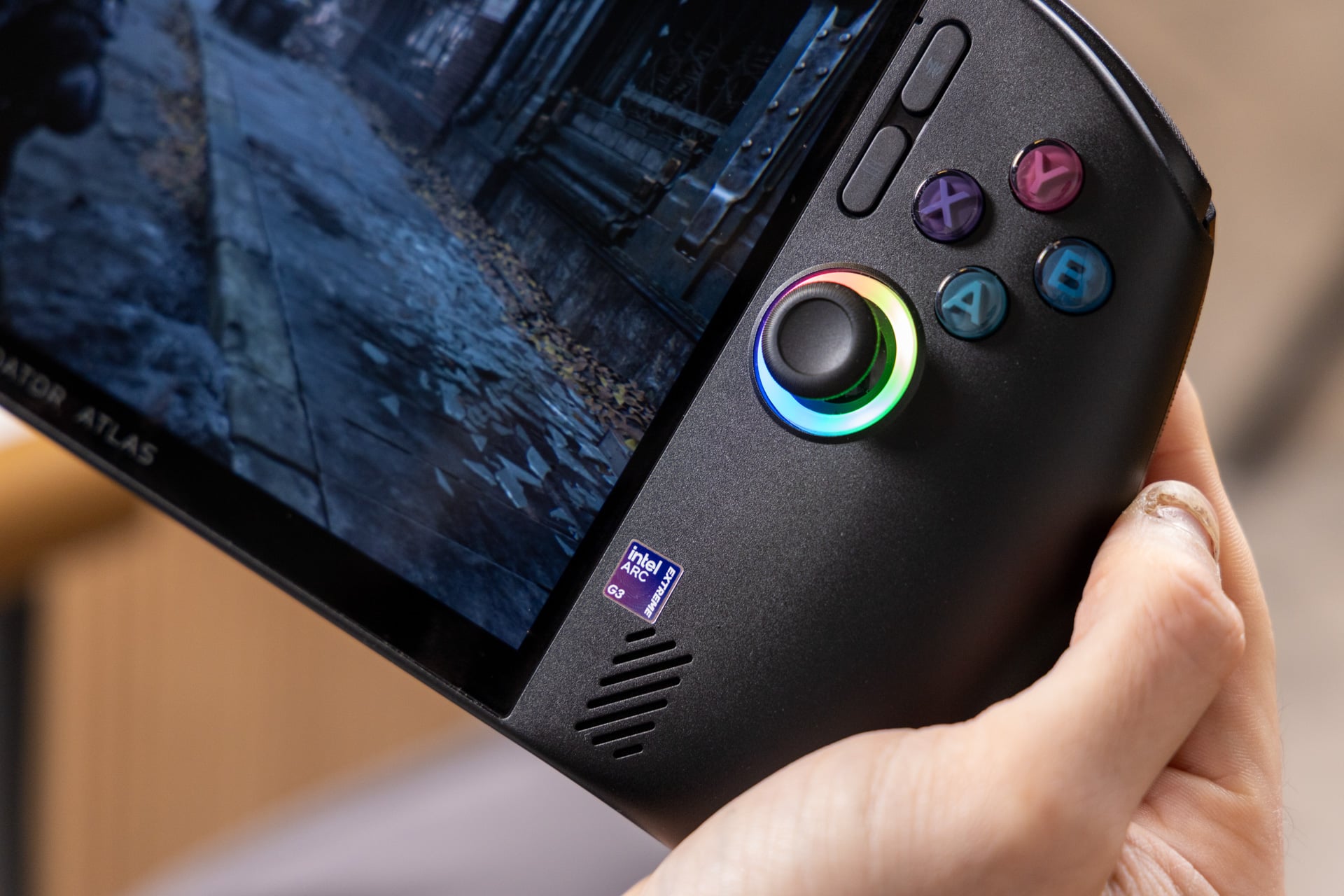
With all this to consider, you also have to think about overall weight. The Predator Atlas 8 clocks in at 1.9 pounds. The Legion Go S is lighter at 1.6 pounds and the MSI Claw 8 is 1.7 pounds. Smaller handhelds like the Asus ROG Xbox Ally X20 require less forearm strength as well. I found I could hold the Predator Atlas 8 aloft rather comfortably. It’s also a handheld that I wouldn’t necessarily want to play standing up without my elbows resting on something.
None of this beats the 2.38-pound Legion Go 2 in terms of raw heft, even if its 8.8-inch OLED screen may be worth the workout. The Xbox Ally X20’s OLED is similarly beautiful to behold, and it’s where we have to start considering what you actually want in a handheld PC, or what games you actually hope to play.
The difference that 10 fps makes
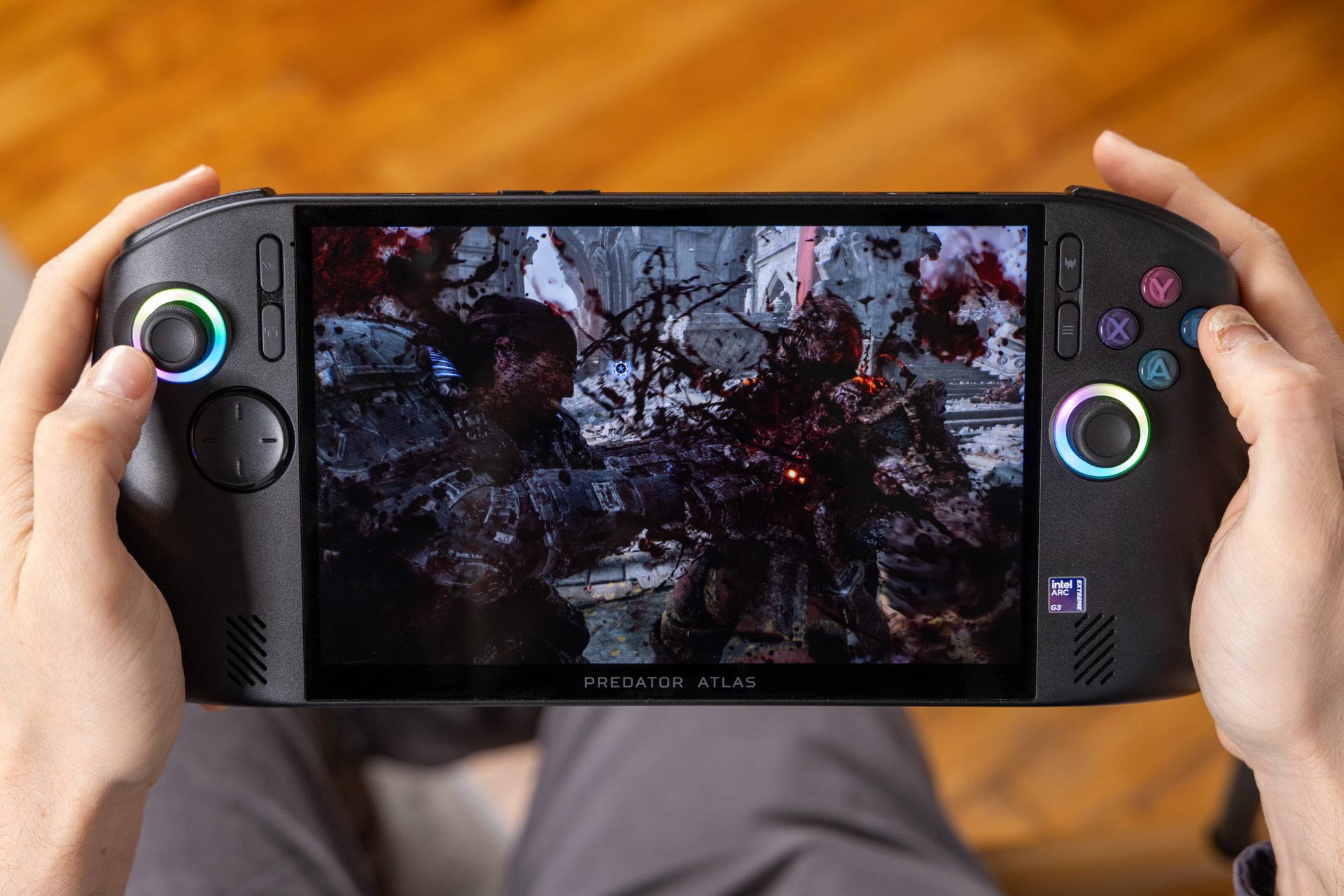
Back when the Predator Atlas 8 cost $1,300, the easiest point of comparison was to the Asus ROG Xbox Ally X20 at the same price point. Even at $150 more, that’s still where we can draw most of our benchmarks. The Acer handheld manages to play games at a faster clip than the Xbox Ally at the same TDP. Sometimes, that boost in performance can be the difference between pushing higher graphics settings, netting a better frame rate, or both.
On average, the Intel Arc G3 Extreme chip can perform between 30% and 40%. That performance delta matters even more to a gaming device where you want to try to play your favorite AAA games on the go. If the game is Cyberpunk 2077, then that’s the difference between playing at 40 fps at 1080p resolution and the Steam Deck graphics settings preset and playing closer to 60 fps.
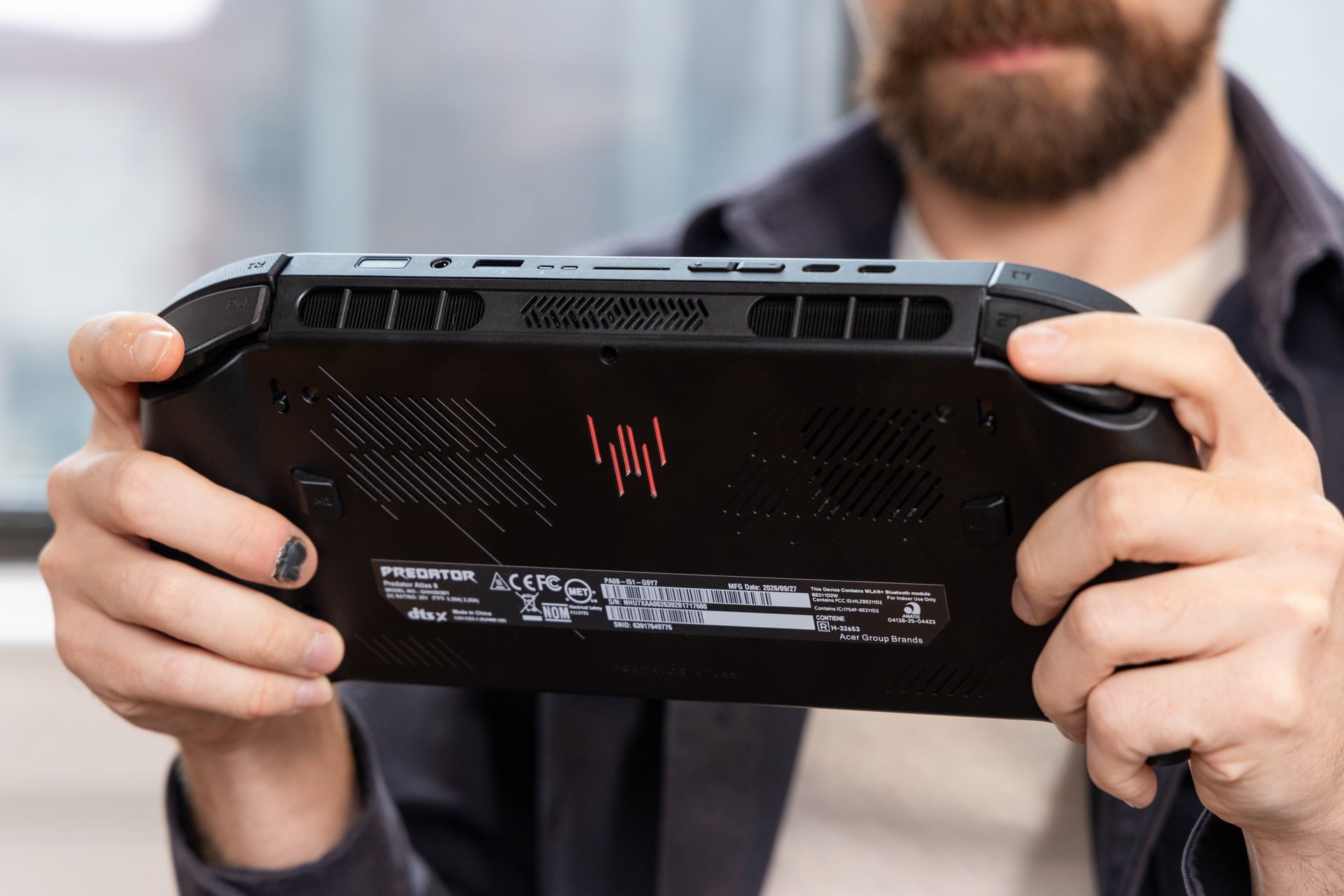
Or, for instance, take Forza Horizon 6. The Xbox Ally X20 will manage closer to 37 fps on high graphics settings at 1080p, whereas the Predator Atlas 8 can hit closer to 50 fps. And that’s before you start considering upscaling. Intel’s chips will work better with games that support the latest XeSS 3 models. While Intel doesn’t have as large a catalog of supported games as AMD (or Nvidia, for that matter), many of the recent games I’ve been drawn to this year, like Star Wars: Galactic Racer and Gears of War: E-Day, all support it.
You’ll need upscaling to reach a playable medium across those games. Gears of War is an especially demanding title, but I could still play at an average of 45 fps with the help of upscaling on medium settings. The Asus Xbox Ally X handhelds will play the game at around 30 fps, even with FSR enabled.
With that being said, AMD just gave the Ryzen Z2 Extreme handhelds a boost now that you can play them using FSR 4.1 instead of the older FSR 3. That update is more important for visual quality than pure performance. You may see a small boost in some games, but the Intel chip is going to win every time.
The Predator Atlas 8’s added weight is likely due to the extra work the company put into this machine’s thermal design. Acer made a big deal about it, including a two-fan design with one of those being metallic. Metal isn’t naturally better than plastic for airflow, but Acer has incorporated an 89-blade AeroBlade fan into this chassis, and based on what I’ve seen, that can significantly impact your performance over time.
Now comes the question of who wins for performance, the MSI Claw 8 or Predator Atlas 8. Running both at 35W TDP, I saw practically the same performance across my benchmarks. However, the Acer handheld and its more robust cooling solution may enable higher 1% lows than the Claw 8, meaning it isn’t suffering fewer severe performance dips. That in itself may make the price difference between the two handhelds worth the hassle. Just remember the Claw 8 can technically reach higher performance metrics thanks to its higher max TDP.
Why even have performance settings if they don’t change much?
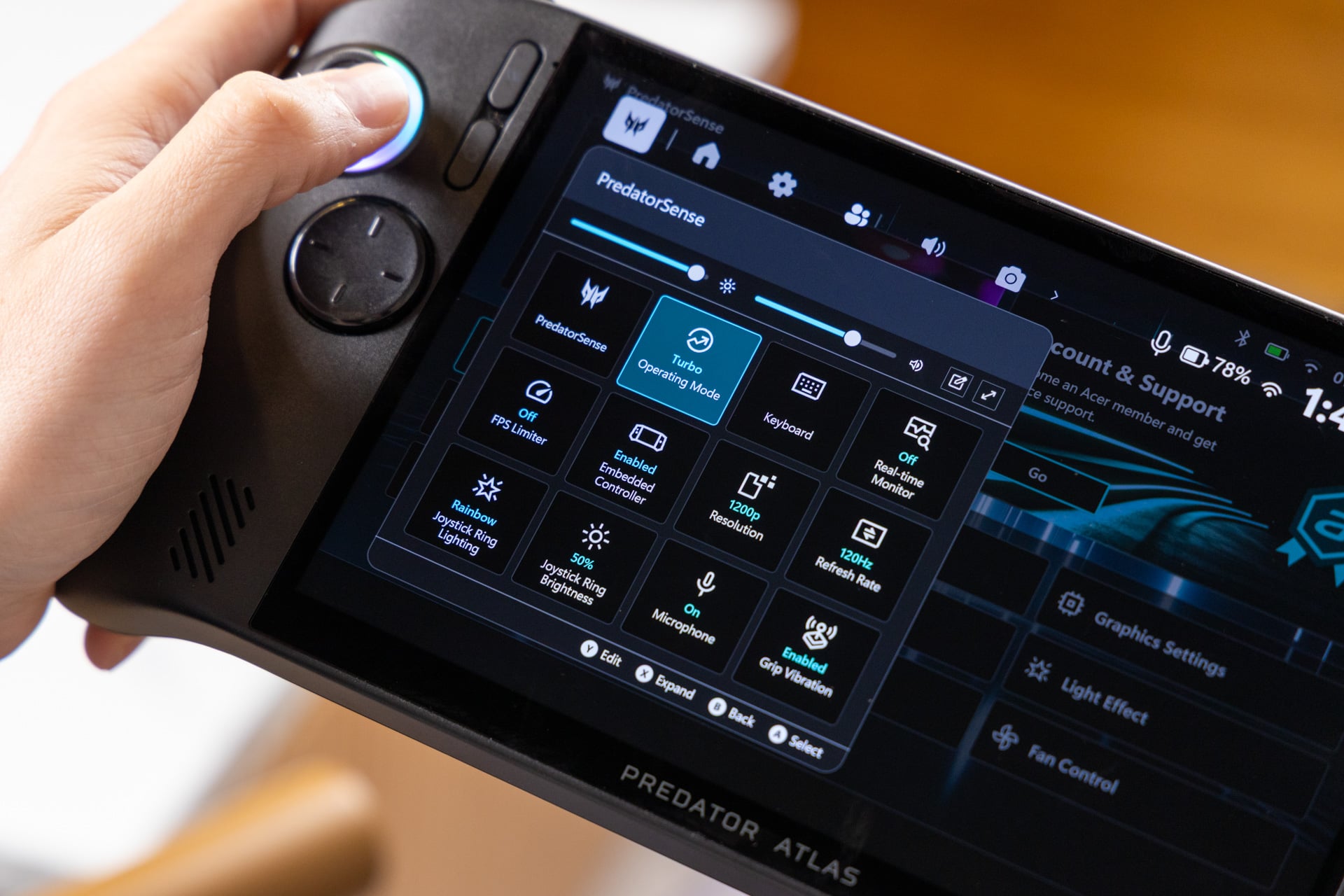
Every handheld has its performance ceiling. The Predator Atlas 8 can max out at 40W TDP when plugged into a power adapter. The MSI Claw 8 EX AI+ can do 45W, while the ROG Ally X and X20 are less stellar at their top 35W. None of that matters for the mobile gamer, since you’ll always need to balance your performance with longevity. The Predator Atlas 8 makes that harder than other devices.
One of the constant issues I had with my handheld was how I couldn’t ever seem to achieve a battery life that was more than two hours. I played a game like Star Wars: Galactic Racer pumping the TDP up to “Turbo” settings at 35W, and I couldn’t make it last long enough before I had to bring it over to the outlet for a charge. Again, running Gears of War: E-Day with the higher 35W TDP, I could only play for 1 hour and 40 minutes. Then, nights later, when playing the less demanding Mixtape on “Quiet” TDP settings, the Predator Atlas 8 still only managed to run for 1 hour and 55 minutes.
That’s because there is very little difference in overall wattage between the “Quiet,” “Balanced,” and “Turbo” operating modes. The Predator Atlas 8 wants to max out at close to 50W of total power, and even reducing the operating mode doesn’t actually make much of a difference. Swapping from the 30W “Balanced” preset and 35W “Turbo” mode only drops the total power from 49W to 44W, respectively. None of these settings are lessening the demand on the 80Wh battery. Playing a game like Black Myth: Wukong, I experienced essentially the same performance operating on either mode.
The “Quiet” mode is supposed to sit at 25W, but Acer could have easily lowered it to something less. If you drop it down to a 10W minimum using manual TDP controls, you can stretch the battery upwards of five hours or more. In this operating mode, you can easily play less demanding titles at a stable framerate.
Are you really saving money?
We’re now the penny pinchers of gaming handhelds. Only the Asus ROG Xbox Ally X still costs $1,000, the same as it did at launch. Everything else is getting progressively more expensive. So you can spend $450 more than Asus’ device, and I don’t know if I could possibly equate a dollar amount that would be worth the increase in performance you should expect.
If you’re still seeking out the Acer Predator Atlas 8 even after the price hike, I will say the performance is a shot of adrenaline, especially as I speed through yet another podrace in Galactic Racer with a buttery smooth frame rate. Getting there can be annoying, especially with the Predator Atlas 8 in its current state. And you have to acknowledge what you may lose for this price. A sparse 512GB SSD isn’t large enough for playing modern AAA games. In the course of this review, I had to uninstall and reinstall several titles on a near-daily basis just so I could experience a full gamut of games. It’s damn annoying, to be sure.
The RAM pricing crisis won’t end any time soon. This price point is the new standard. Maybe, one day, I’ll be able to say one handheld is genuinely great without caveats. I just won’t be able to say that about its cost.
